When to Customize WordPress vs Rebuild Your Website: A Strategic Guide
Fixing a slow or underperforming WordPress site does not always mean starting from scratch. This guide helps business owners understand when WordPress customization is smarter than a full rebuild, covering cost, SEO impact, performance, and real business scenarios.

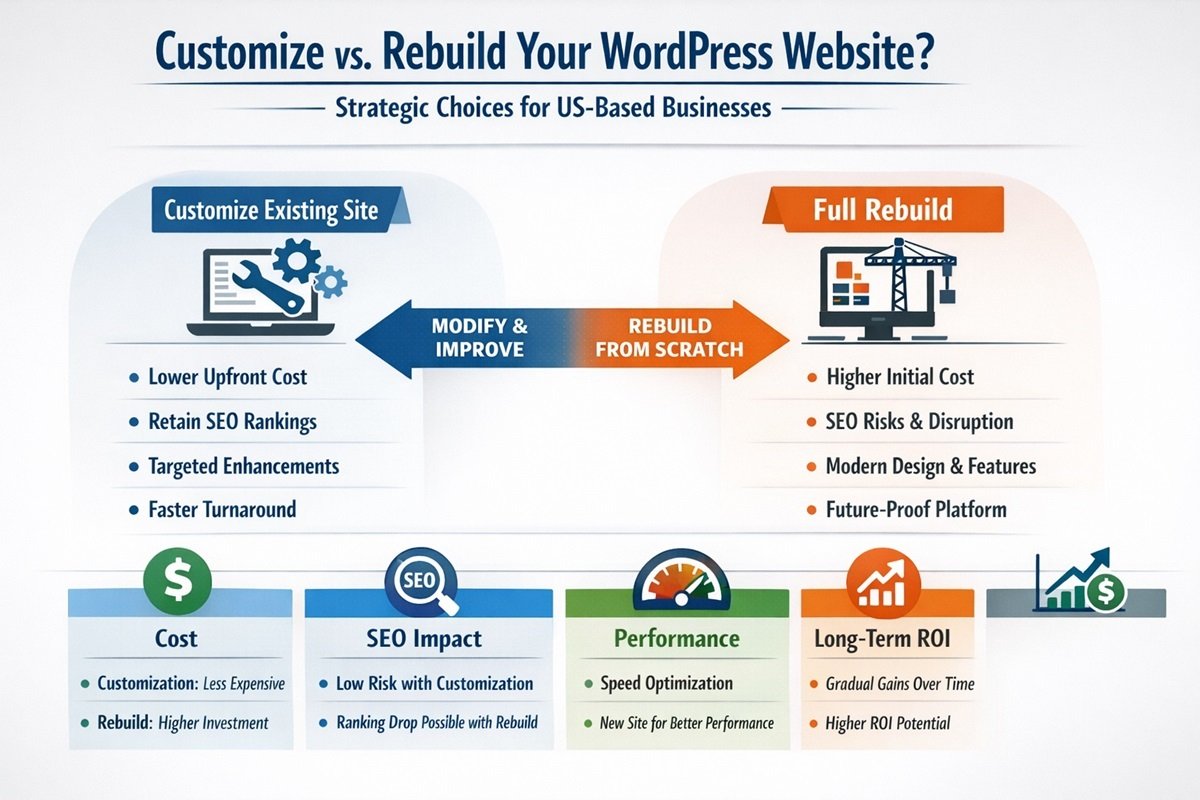
At some point, almost every business owner with a WordPress website faces the same uncomfortable question: do I fix what I have, or do I start over?
Your site is not performing the way you need it to. Maybe it loads slowly. Maybe it looks outdated. Maybe it is losing ground to competitors in search results. The instinct is often to scrap everything and rebuild from scratch. But that instinct is frequently wrong, and it can cost you significantly in time, money, and lost SEO equity.
The smarter question is not “should I rebuild?” but rather “what does my website actually need to perform better?” WordPress customization vs rebuilding a website is one of the most consequential decisions a business can make about its digital presence. This guide will help you make that decision clearly and strategically.
Understanding the Difference: Customization vs Rebuilding
Before weighing the options, it helps to define them precisely because there is often real confusion about what each actually involves.
What WordPress Customization Means in Practice
Customizing an existing WordPress website means making targeted improvements to your current site without replacing its foundational architecture. This could include:
- Improving page speed through code optimization, caching, and image compression
- Redesigning specific pages or templates while keeping the existing structure
- Adding or modifying functionality through custom code rather than additional plugins
- Fixing technical SEO issues at the code level
- Updating the visual design without changing the underlying theme framework
- Improving mobile responsiveness on existing page templates
Customization works within what already exists. It is surgical, targeted, and typically faster to execute.
What a Full Rebuild Actually Involves
Rebuilding means starting fresh. A new theme or custom-built theme, a new content structure, a new design system, new development decisions from the ground up. Everything is reconsidered and reconstructed. Content may be migrated from the old site, but the technical foundation is entirely new.
A rebuild is a significant investment of time, budget, and resources. It also carries risk, particularly around SEO, business continuity, and the time your team spends away from other priorities.
Common Misconceptions
- “My site is slow, so I need to rebuild it.” Speed issues are almost always fixable through targeted optimization without a full rebuild.
- “My site looks outdated, so it needs to start over.” Visual redesigns can be applied to existing WordPress structures in most cases.
- “Rebuilding will fix my SEO problems.” A poorly managed rebuild can actually destroy rankings that took years to build.
- “Customization is just a band-aid fix.” Strategic customization can extend the productive life of a website by three to five years.
Signs You Should Customize Instead of Rebuilding
Customization is often the right call when the core structure of the site still makes sense for the business, but specific areas are underperforming. Here are the clearest indicators that customization is the better path.
Your Site Has Solid Structure but Poor Performance
If your pages are well-organized, your content hierarchy is logical, and your URL structure is clean, but your site simply loads too slowly or scores poorly on Core Web Vitals, this is a performance optimization problem, not a structural one. A skilled developer can address these issues directly without dismantling and rebuilding the entire site.
You Have Existing SEO Authority You Cannot Afford to Lose
If your website has been around for several years and has accumulated backlinks, domain authority, and ranking positions, those are assets. A full rebuild, if not executed with extraordinary care, can wipe them out. When your current site has meaningful organic traffic and search visibility, customization is almost always the safer choice from an SEO preservation standpoint.
The Gaps Are Functional, Not Foundational
If your frustrations are specific: a checkout flow that is not optimized, a homepage that is not converting, a mobile layout that needs work, or a missing integration with your CRM, these are targeted problems with targeted solutions. They do not require a complete rebuild.
Budget Is a Constraint but Improvement Is Urgent
A full custom WordPress rebuild in the USA typically costs between $8,000 and $40,000 or more depending on complexity. If your budget is limited but your site needs real improvement, a focused customization project can deliver meaningful results at a fraction of that cost, often in a shorter timeframe.
Your Backend Is Still Workable
If your team can still update content, manage products, and use the admin panel without significant pain, the backend infrastructure is worth preserving. Rebuilding a functional and familiar backend just for the sake of it rarely makes business sense.
When Rebuilding Makes More Sense
There are genuine situations where customizing an existing WordPress site is not just insufficient, it is counterproductive. Here is when a full rebuild becomes the more rational investment.
The Architecture Is Fundamentally Broken
Some websites were built without any strategic thought given to information architecture, URL structure, or content hierarchy. If the foundational decisions were wrong from the start, patching them is like renovating a house with a crumbling foundation. At some point, you are better off rebuilding properly.
Performance Issues Are Rooted in the Theme Itself
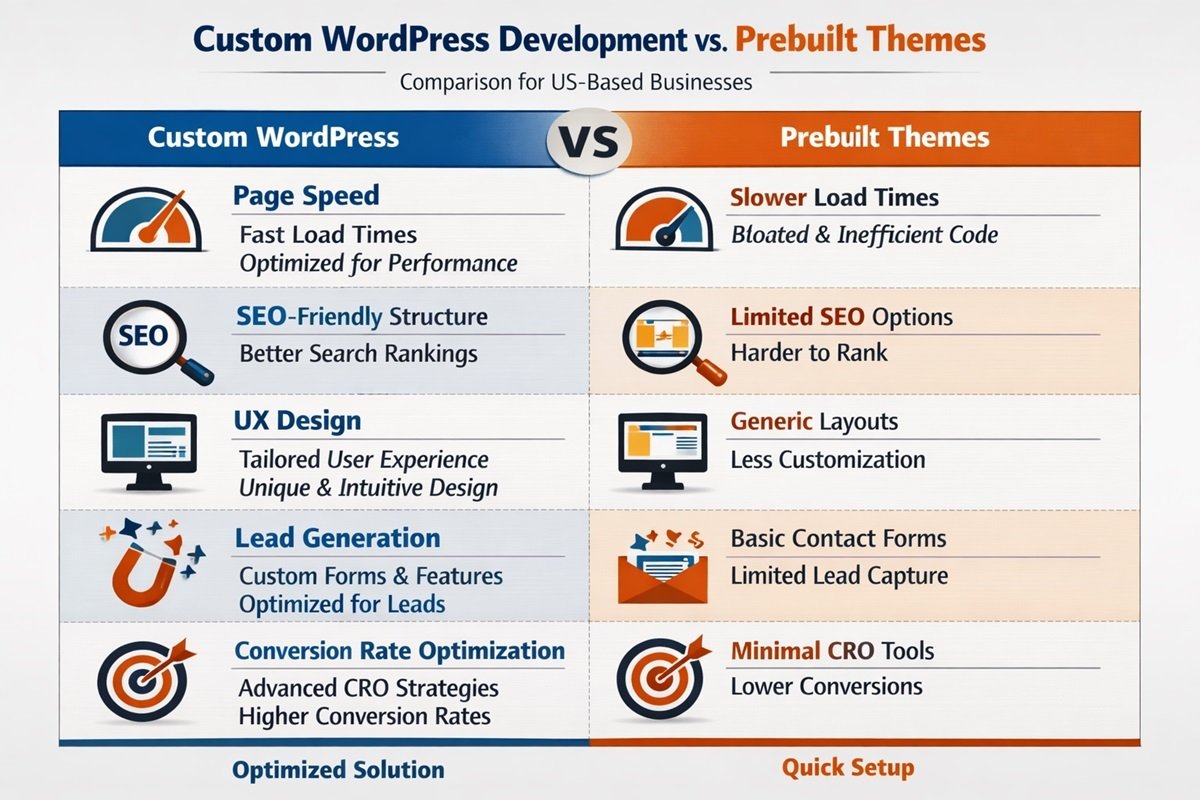
Certain prebuilt themes, particularly older or bloated page builder-heavy ones, generate so much unnecessary code that no amount of optimization will bring them to an acceptable performance level. If the theme itself is the bottleneck and it cannot be replaced without rebuilding, then rebuilding becomes the logical next step.
The Design System Is Completely Broken for Your Brand
If your brand has evolved significantly and your current site reflects a company that no longer exists in terms of positioning, messaging, and visual identity, a redesign that goes deep enough may functionally require a rebuild to execute correctly.
Technical Debt Has Accumulated Beyond Repair
Sites that have been patched, modified, and extended by multiple developers over several years sometimes accumulate technical debt that makes further modification risky and expensive. When every change breaks something else and your developer is spending more time debugging than building, a clean rebuild is often the more cost-effective path over a two to three year horizon.
Scalability Is Impossible in the Current Setup
If your business is growing rapidly and your current site simply cannot support the traffic, functionality, or integrations you need, and those limitations are built into the structure itself, a rebuild designed specifically for scale is justified.
Cost Comparison: Customization vs Rebuild
Here is a straightforward comparison to help frame the financial decision:
- Targeted customization project: $1,500 to $8,000 depending on scope
- Partial redesign with customization: $4,000 to $12,000
- Full custom WordPress rebuild: $8,000 to $40,000+
- Timeline for customization: 2 to 6 weeks typically
- Timeline for full rebuild: 8 to 20+ weeks depending on complexity
From an ROI perspective, customization often delivers a faster return because the time to value is shorter and the risk of disruption is lower. A well-executed customization project can meaningfully improve conversions and search performance within 30 to 60 days of completion. A rebuild may take three to six months before it delivers meaningful lift, especially accounting for the SEO transition period.
That said, a rebuild done well is an investment in infrastructure that should last four to six years. The ROI calculation depends heavily on your growth trajectory and whether your current site has the structural capacity to support your next phase of growth.
SEO Impact: Why Customization Is Often the Safer Choice
This is one of the most underappreciated risks of rebuilding. When you migrate to a new site, every URL that changes needs to be properly redirected. Every piece of structured data needs to be rebuilt. Every internal linking structure needs to be recreated. If any of these steps are missed or executed poorly, you can lose significant rankings that took years to earn.
Even with a perfect technical migration, Google treats a rebuilt site as a significant change and may temporarily shuffle your rankings while it re-evaluates your site’s authority and relevance. For businesses that depend on organic traffic for leads and revenue, this period of volatility can be genuinely costly.
Customizing your existing site sidesteps these risks almost entirely. Your URLs stay the same. Your content stays indexed. Your backlink profile continues to pass authority to the same pages. If SEO is a primary revenue driver for your business, this factor alone often tips the decision toward customization.
Performance Considerations: Targeted Fixes vs Starting Over
Page speed and Core Web Vitals are measurable, and the issues behind poor scores are diagnosable. Before assuming a rebuild is needed for performance reasons, a proper technical audit will almost always reveal specific, addressable causes:
- Unoptimized images adding unnecessary page weight
- Render-blocking JavaScript that delays page display
- Unused CSS being loaded on every page
- A lack of server-side caching
- Poorly configured hosting environment
- Excessive plugin load adding scripts site-wide
Each of these is fixable through targeted customization without touching the broader site architecture. In many cases, a focused performance optimization engagement can take a site from a PageSpeed score of 42 to above 85 on mobile without a single page being redesigned.
Real Business Scenarios
Small Business Service Website
A landscaping company in Georgia had a five-year-old WordPress site that ranked well locally but was loading slowly on mobile and not converting visitors into quote requests. A full audit revealed the issue was an outdated image delivery method and a contact form plugin conflict. A targeted customization project fixed the performance issues, redesigned the homepage call-to-action section, and added a streamlined quote request form. The project took four weeks and cost a fraction of a full rebuild. Monthly quote requests increased by 60%.
Verdict: Customization was the right call.
WooCommerce Store
An online home goods retailer had a WooCommerce site built on a heavily modified theme from 2019. The site had strong domain authority and healthy organic traffic, but the checkout experience was dated and cart abandonment was high. Rather than rebuilding, the development team customized the checkout flow, updated the product page templates, and optimized the mobile cart experience. Revenue increased without any loss of existing SEO equity.
Verdict: Customization preserved the SEO investment while improving conversions.
Agency or Service-Based Business
A digital marketing agency’s website had been patched by four different developers over six years. The codebase was fragmented, the design was inconsistent, and adding new pages required working around broken templates. In this case, the technical debt was severe enough that customization would have cost more over 12 months than a clean rebuild. A new custom WordPress build was the right decision.
Verdict: Rebuild was justified because of accumulated technical debt.
Strategic Decision Framework: A Practical Checklist
Use this framework to evaluate which path makes sense for your specific situation:
Choose Customization If:
- Your site has existing SEO authority and organic traffic worth protecting
- The performance and UX issues are specific and diagnosable, not systemic
- Your budget is below $8,000 to $10,000
- You need improvements within the next 60 days
- Your content structure and URL architecture are logically sound
- Your backend is functional and your team can manage it effectively
- Your business goals can be achieved by fixing specific gaps
Choose a Rebuild If:
- The technical foundation is broken beyond efficient repair
- Your theme is the root cause of performance issues and cannot be replaced within the current setup
- You are launching a significantly new brand, product line, or market position
- You have a 12 to 18 month runway and a budget above $15,000
- Scalability is an immediate concern and the current platform cannot support it
- Multiple developers have left behind conflicting code that is dangerous to extend
Technical Insight: Modern Development Practices Matter in Either Case
Whether you choose customization or a full rebuild, the quality of the development work determines the outcome. This is a point that business owners often underestimate when evaluating proposals.
A major consideration in 2026 is the underlying technology stack. WordPress sites running on outdated PHP versions, for example, miss out on significant performance and security improvements. When evaluating whether to customize or rebuild, experienced developers use php8 full stack web development insights analysis to assess where a site stands technically, identify what can be modernized within the existing structure, and determine whether the current architecture can realistically support the performance and security standards a business needs going forward.
This kind of technical audit is not just for rebuilds. It is the first step in any serious customization engagement as well. A developer who skips this step is working without a map.
The takeaway for business owners: ask your developer or agency how they evaluate your existing technical stack before recommending a path forward. The right recommendation should always come after a structured assessment, not before it.
Conclusion: The Decision Is Strategic, Not Just Technical
WordPress customization vs rebuilding your website is ultimately a business decision dressed in technical clothing. The right answer depends on what your site currently has that is worth preserving, what it is costing you by underperforming, and what your business needs to accomplish over the next two to three years.
For most growing businesses with an established online presence, targeted customization delivers faster results, lower risk, and better ROI than a full rebuild. For businesses with fundamentally broken infrastructure or a significant strategic pivot ahead, a rebuild is the more honest long-term investment.
The worst outcome is making this decision reactively, under pressure, or based on aesthetics alone. The best outcome starts with a clear-eyed evaluation of your current site, your business goals, and the actual cost of each path forward.
If you are unsure which direction makes sense for your business, consider requesting a technical and strategic audit of your current WordPress site before committing to either approach. A good consultant will tell you what your site actually needs, not just what is easiest or most profitable to sell you.